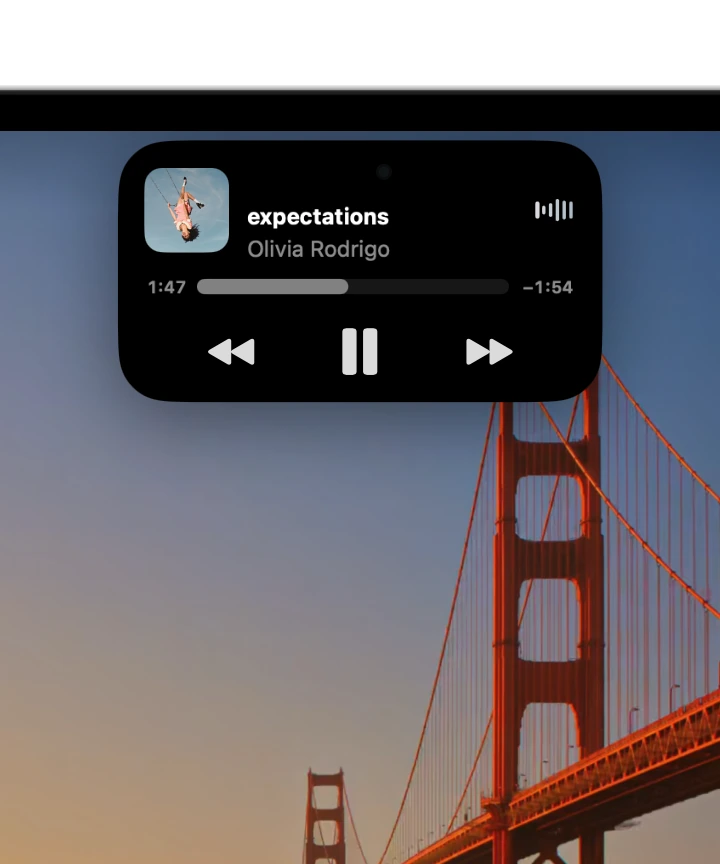
Your Dynamic Island, as usual. Hover, clicks and Live Activities work just as they do now. ProMax only steps in while you hold Command.
Built for MacBooks with a Dynamic Island
ProMax Display extends your screen into the space beside the notch or Dynamic Island.
14.05″Full screen today
14.2″With ProMax Display




Your Dynamic Island works as usual. For the rare times something you need is behind it, hold Command (⌘) and point at it. The mirror shows what’s there, and clicks go straight through.
Open the Dock, the menu bar or Control Center with a two-finger swipe from the edge of the trackpad. It feels completely natural, and scrolling stays just the same.
Swipe up once to open it. Swipe up again and slide to choose an app, then pull up and let go to switch to it. Your pointer never moves.
Swipe down once to open it. Swipe down again and slide along the menus, then let go to choose the item you’re on.
Swipe down once to open it, then slide sideways: the top half of the trackpad sets the brightness, the bottom half the volume. Swipe back up to close it.
Pinch open and the video fills the entire screen, even beside the Dynamic Island, for a truly immersive picture. Pinch closed to fit it again.
In Safari, Chrome, Firefox, Arc, Dia, Brave, Edge, Vivaldi and other Chromium browsers, add the ProMax Display extension. The app walks you through it when you first set it up.
Your Dynamic Island, as usual. Hover, clicks and Live Activities work just as they do now. ProMax only steps in while you hold Command.
Every window, one swipe away. The Dock switcher lets you slide on to any of the app’s windows.
Peek at the menu bar. Swipe down with two fingers to check the time or your battery. Leave it, and it hides again on its own.
Follows your fingers. The Dock, menu bar and Control Center move exactly with your swipe, fast or slow. Change your mind and they come back with you, just like macOS’s own gestures.

Works with every app. From Safari to Xcode to your games, full screen and desktop windows alike use the space beside the Dynamic Island.
Only the parts you want. The mirror, the corners and the gestures each have their own switch, and any app can be left just as it is.
Native by design
The Dock, menu bar and Control Center are macOS’s own, not copies, so they look, feel and update exactly as Apple made them.
Lots works right away. To unlock every app, a short guided setup turns part of SIP off, while Gatekeeper and XProtect keep your Mac protected.
Go full screen the way you always have, with the green button or ⌃⌘F. Spaces and Mission Control work as usual, just with more screen.

Lifetime licence
One price. Every feature, and every update to come. No subscription.